Rooms and sound
Study inside a calm scene with its own sound, or put on a radio station.
Study rooms
Pick one of 13 rooms, like a winter cabin, a canal houseboat or a Christmas café. Each has its own art and sound.
Room sounds
Each room has its own sounds, like rain, thunder or wind. Set each one’s volume.
Radio
Pick a station by mood or genre and leave it playing while you study.
Planner
Plan by project and by day. When you sit down to study, today’s tasks are already waiting in your room.
Projects
Make a project for each class and add its tasks, with how long each one takes.
Days
Give each task a day. The Days board shows your whole week.
Today
List today’s goals with a time for each, and see how long your day adds up to.
Focus timer
Start a task and the timer counts down. Nook reminds you to take breaks.
Press play on a task in Today. Your room opens and the timer counts down.
Nook Pro
Nook Blocker for your Mac
Everything above is free on nookfocus.com. Nook Pro adds Nook Blocker, a Mac app that blocks distracting sites and apps while you study. It works with your Nook dashboard, so starting a focus session there starts blocking too.
Works with nookfocus.com
Start your focus session on nookfocus.com and blocking starts too, with your planned tasks already in the app. Nook Blocker needs to be open on the same Mac.
Start your focus session. Blocking starts too.
Press Start on nookfocus.com and Nook Blocker starts the blocking you picked under Lock my Mac, like Deep work. It needs to be open on the same Mac.
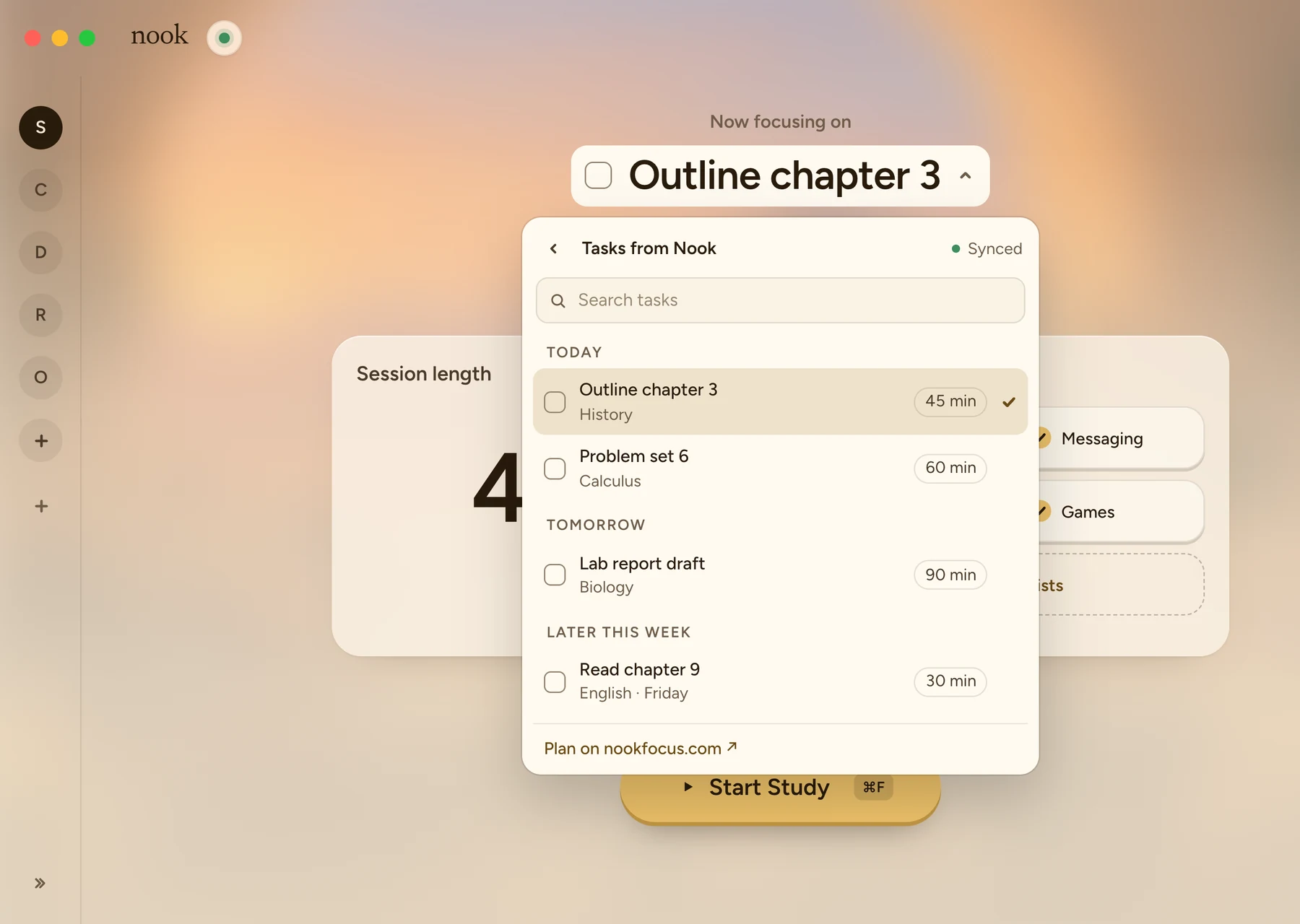
Your tasks are already there.
Tasks from your Nook dashboard show up in Nook Blocker, sorted by day.
What it blocks
Pick sites and apps once. They stay blocked until your session ends.
Websites
A blocked site shows Nook’s page instead, with the time left in your session.
Works in Safari, Chrome, Arc, Brave, Edge, Firefox and more.
Apps
Apps on your block list, like Discord, Slack or games, quit as soon as they open.
Feeds
The YouTube and Reddit home feeds are hidden. Search and links still work.
Flexible, Delayed or Locked
Choose how hard it is to end a session early.
- FlexiblePause or end whenever you like.
- DelayedTo end early, wait 10 minutes, then type a phrase. Blocking stays on while you wait.
- LockedNo pausing and no ending early. Blocking stays on until the timer runs out.
Set up in three steps
- Start your free trial 30 days, no card needed.
-
Download Nook Blocker
A notarized Mac app. Open it and it moves itself to Applications.
- Sign in and connect your browsers Use the account you started Pro with. Nook walks you through each browser.
Needs macOS 13 or later, on Apple silicon or Intel.
Pricing
Try Nook Pro free for 30 days. Then it’s $29 for life or $5 a month. The study rooms, timer and planner stay free for everyone.
Nook Pro
30 days freeEverything that’s free, plus Nook Blocker for Mac.
$29 once
One payment for the first 150 subscriptions. Nothing to renew.
Try free for 30 daysNo card needed. Or buy it now: $29 once, for life. 30-day refund.
For macOS 13 or later, on Apple silicon and Intel.
- The Nook Blocker download for Mac
- Website and app blocking
- Feed hiding for YouTube and Reddit
- Flexible, Delayed and Locked sessions
- Blocking starts when you start a focus session on nookfocus.com
Free
On nookfocus.com, in any browser.
$0
No card needed.
- Rooms, each with its own sound
- A focus timer, with breaks
- A day planner for your tasks
- Sync between your devices
You don’t need Pro for any of this. Open nookfocus.com
Questions
Do I need Pro to use Nook?
No. Rooms, sound, the timer, the planner and sync are free on nookfocus.com. Pro adds Nook Blocker for Mac.
How does the free trial work?
You get all of Nook Pro for 30 days. There’s no card, so it ends by itself and nothing is charged.
Can I get a refund?
Yes. If you buy, write to us from Contact within 30 days of your first payment.
How do I cancel?
Monthly: any time from Account. For life has nothing to cancel.
Which Macs?
macOS 13 or later, on Apple silicon and Intel. Nook Blocker is notarized by Apple.
Does it work on Windows or my phone?
Nook Blocker is Mac only. The free study rooms work in any modern browser.
Can I end a Locked session early?
Not in Nook. Locked has no pause or end button, so pick Flexible or Delayed if you might need to stop early.