What it blocks
Choose the websites and apps you want to block, or hide distracting feeds. Start a focus session with the level of control that works for you.
Websites
A blocked site shows Nook’s page instead, with the time left in your session.
Works in Safari, Chrome, Arc, Brave, Edge, Firefox and more.
Apps
Apps on your block list, like Discord, Slack or games, quit as soon as they open.
Feeds
The YouTube and Reddit home feeds are hidden. Search and links still work.
Flexible, Delayed or Locked
You choose how strict each session is when you start it.
Pick Deep work, choose how ending early works, and start.
Nook can’t stop someone with an admin account on the Mac from uninstalling it. How to remove Nook
- FlexiblePause or end whenever you like.
- DelayedTo end early, wait 10 minutes, then type a phrase. Blocking stays on while you wait.
- LockedNo pausing and no ending early. Blocking stays on until the timer runs out.
Nook Blocker for Mac
The Mac app that comes with Nook Pro. Search once and it finds the website and the app on your Mac, so you can block both.
- Search 300 services and the apps installed on your Mac.
- Websites are blocked in your browsers. Mac apps close during a session.
- Ready-made lists for Social, Messaging, Streaming, Games, Work, News and Shopping.
For macOS 13 or later.
The Nook dashboard
Nook Blocker works with Nook’s free study dashboard on nookfocus.com. Plan your week, set goals and study in a calm room, then start blocking from there.
Plan your week
Make a project for each class, give each task a day, and see your week on the Days board.
Set goals
List today’s goals with a time for each. They show up in Nook Blocker too.
Calm rooms
Study in one of 12 rooms, each with its own art and sound, like rain on the glass or a fire.
Start blocking from your dashboard
Start your focus session on nookfocus.com and blocking starts too. Nook Blocker needs to be open on the same Mac.
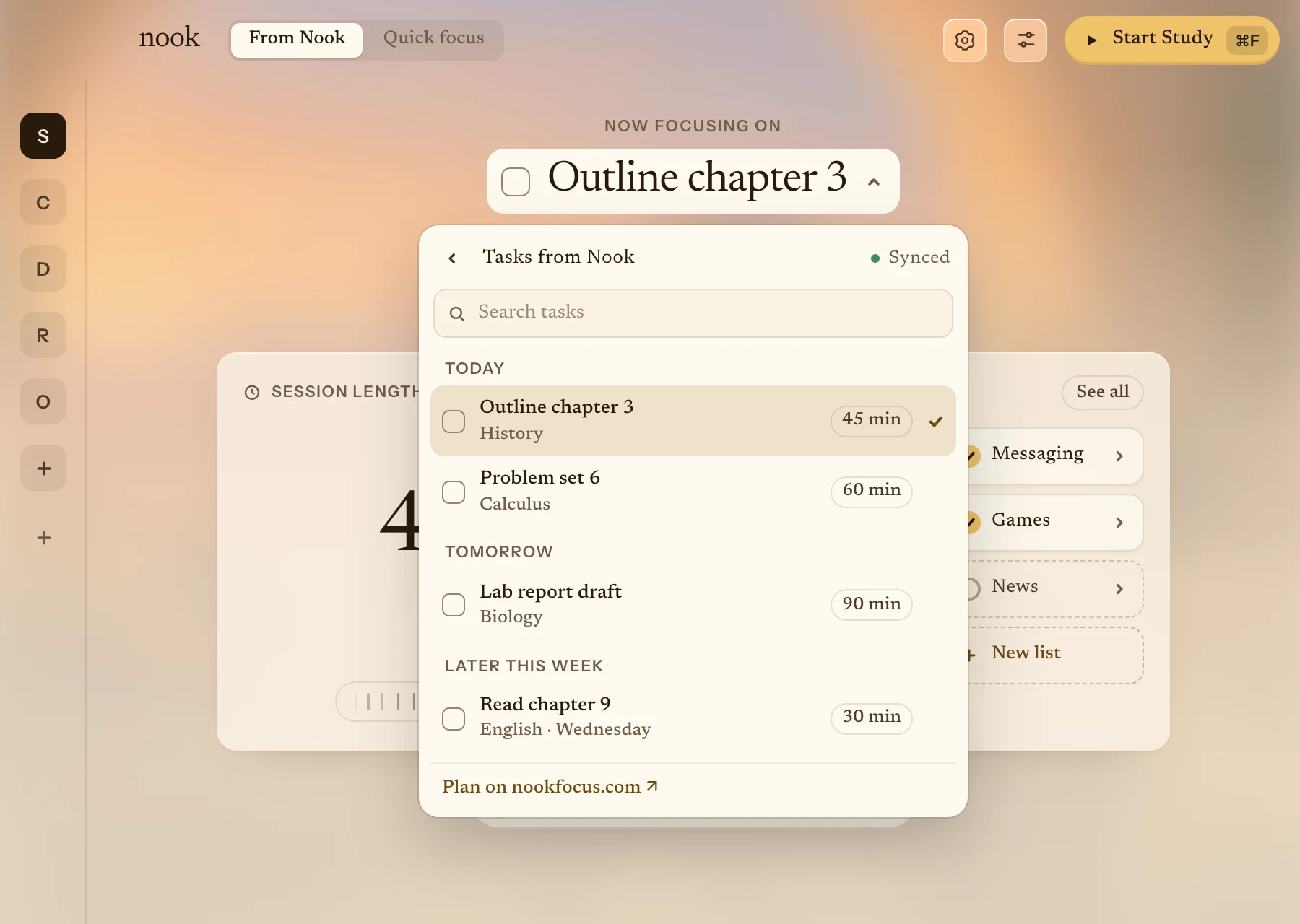
Start your focus session. Blocking starts too.
Press Start on nookfocus.com and Nook Blocker starts the blocking you picked under Lock my Mac, like Deep work. It needs to be open on the same Mac.
Your tasks are already there.
Tasks from your Nook dashboard show up in Nook Blocker, sorted by day.
Set up in three steps
- Start your free trial Card required. $0 today, and we remind you before day 7.
-
Download Nook Blocker
A notarized Mac app. Open it and it moves itself to Applications.
- Sign in and connect your browsers Use the account you started Pro with. Nook walks you through each browser.
Needs macOS 13 or later, on Apple silicon or Intel.
Pricing
Nook Pro is $10 a month or $70 a year, and the first 7 days are free. The study rooms, timer and planner stay free for everyone.
Nook Pro
7 days freeEverything that’s free, plus Nook Blocker for Mac.
$10 /month
Billed monthly. Cancel anytime.
Start my 7-day Pro trialCard required. $0 today, then $10/month. Cancel anytime.
For macOS 13 or later, on Apple silicon and Intel.
- The Nook Blocker download for Mac
- Website and app blocking
- Feed hiding for YouTube and Reddit
- Flexible, Delayed and Locked sessions
- Blocking starts when you start a focus session on nookfocus.com
Free
On nookfocus.com, in any browser.
$0
No card needed.
- Rooms, each with its own sound
- A focus timer, with breaks
- A day planner for your tasks
- Sync between your devices
You don’t need Pro for any of this. Open nookfocus.com
Questions
Do I need Pro to use Nook?
No. Rooms, sound, the timer, the planner and sync are free on nookfocus.com. Pro adds Nook Blocker for Mac.
Why add a card for the trial?
So Pro keeps working after day 7 without a gap. You pay nothing today, and we remind you before day 7.
How do I cancel?
Any time from Account. Cancel during the trial and you’re never charged.
Which Macs?
macOS 13 or later, on Apple silicon and Intel. Nook Blocker is notarized by Apple.
Does it work on Windows or my phone?
Nook Blocker is Mac only. The free study rooms work in any modern browser.
Can I end a Locked session early?
Not in Nook. Locked has no pause or end button, so pick Flexible or Delayed if you might need to stop early.
Try Nook Pro free for 7 days
Card required. $0 today, then $10/month. Cancel anytime.
For macOS 13 or later.